Party games on your TV. Your phone is the controller.
The big screen shows the game, everyone plays from their own phone. Nothing to install: a browser on the TV and on each phone is enough.
How to start
Open the TV screen
On a smart TV browser, or on a laptop plugged into the TV, go to gametable.fyi/tv. A code and a QR code appear.
Sit down with your phones
Everyone scans the QR code, or opens gametable.fyi/play and types the code. Each phone becomes a seat at the table.
Pick a game
The first one to sit down picks; the others vote. Your secrets stay on your phone, the show plays on the TV.
Games
-

Battleship
2 players, about 15 min
Set out your fleet in secret, then take turns firing at your rival's. A hit earns another shot.
-

Artillery
2 players, about 5 min
Two cannons on the hills. Pull back on your phone, let go, and watch the shell fly across the TV. Don't blow yourself up.
-
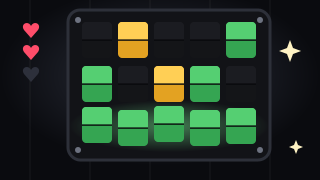
Cipher
1 to 8 players, about 10 min
The TV thinks of a word, the whole table cracks it. Take turns typing words: green is a letter in place, yellow is in the word elsewhere.
-
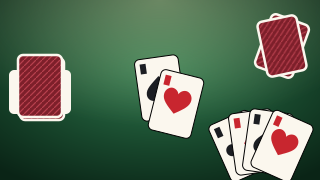
Durak
2 to 6 players, about 10 min
The classic card game. Beat the cards thrown at you with higher ones or trumps, throw in more of a rank on the table, and don't be the last one left holding cards.
-
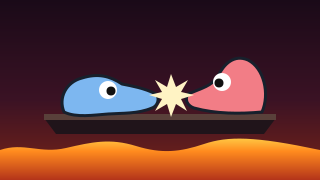
Battering Ram
2 players, about 5 min
Draw a ram with your finger, and it comes alive on the TV. Two drawings fight on a shelf over lava. A tall one topples, a low one holds on.
-

Carpet Bombing
2 players, about 5 min
Draw your base in secret, then draw bombing runs across your rival's map. A big base is easy to find, a small one falls fast.
-

Rockets
2 players, about 5 min
Draw a rocket's route and a wall from one supply of ink. Then they all fly at once: guess where your rival will come from.
-

From Memory
2 players, about 3 min
A shape flashes on the TV for three seconds. Draw it from memory, and see your drawing laid over the original.
Good to know
- What do I need?
- A screen everyone can see with a modern browser: a smart TV, a TV box, or a laptop on HDMI. And a phone for each player, Android or iPhone.
- Does it cost anything?
- No. The games are free to play.
- Do we need the same Wi‑Fi?
- No. The TV and the phones meet through gametable.fyi, so any internet connection works.
- How many can play?
- Up to 32 phones at one table. Each game says how many play at once; the rest watch the TV and join the next round.